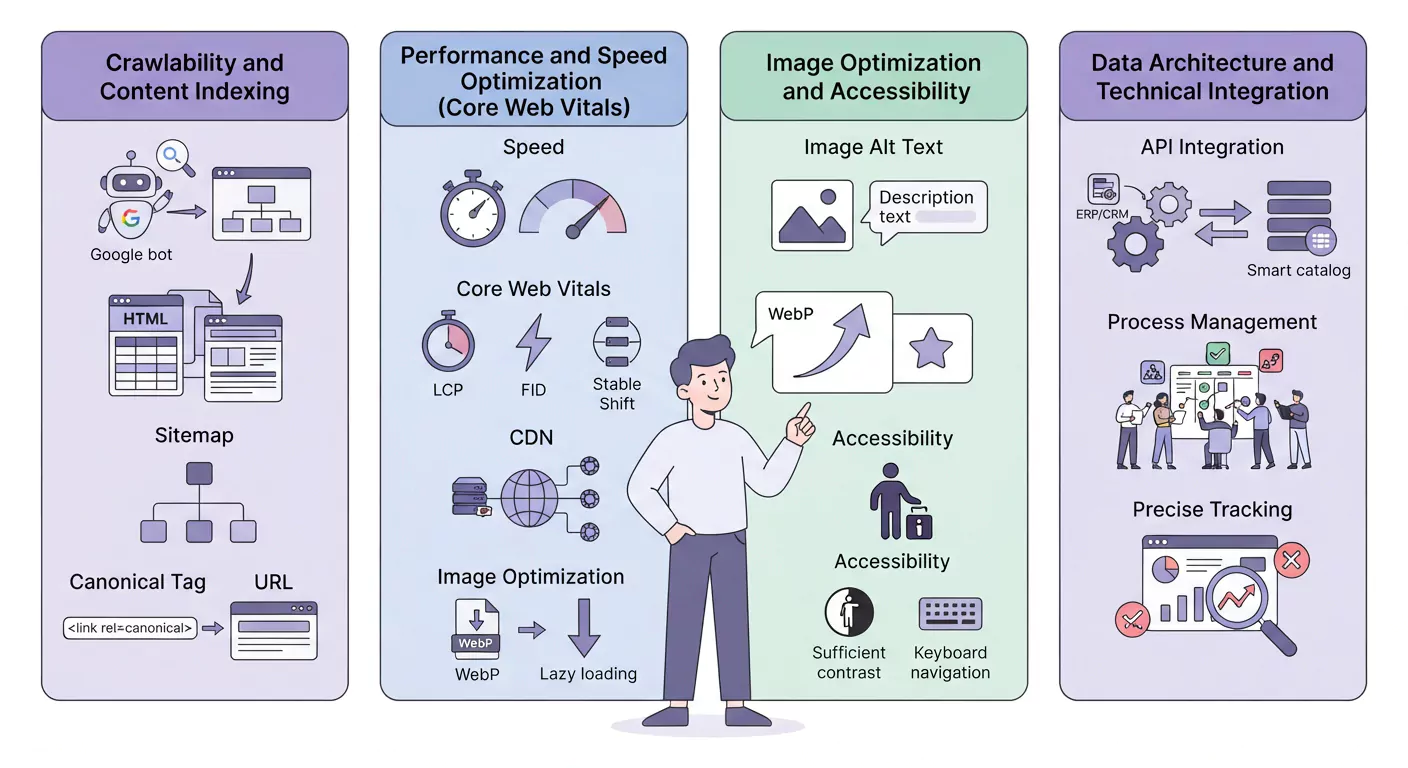
Technical Principles in the Photography and Initial Export Phase
Optimization begins the moment you export from editing software.
A) Proper Resolution
- Technique: Keep images at the highest possible resolution (e.g., 300 DPI) for archival purposes, but limit the final export for the digital catalog to 150 DPI. For display on screens, a resolution higher than this usually makes no visual difference but drastically increases the file size.
- ابعاد (Dimensions): Adjust image dimensions to fit its designated position in the catalog layout so the browser does not have to resize it on the fly.
B) Lighting and Contrast
- Technique: Photograph products with uniform lighting and maintain color contrast for readability alongside text. This also significantly assists visually impaired users.
C) Number of Shots
For any complex product, capture at least 3 to 5 different views (general view, critical details view, functional/lifestyle view) to eliminate any customer ambiguity regarding the product
Final Optimization and File Format
The file format is the most critical factor in managing catalog speed.
A) Priority with WebP Format
- Technique: Export final web images in WebP format. This format preserves the visual quality of JPEG or PNG while substantially reducing file size (by approximately 25% to 35%), thereby improving Largest Contentful Paint (LCP) speed
- Alternative Format: If the platform does not support WebP, use JPEG with 90% compression (not 100%).
B) SEO-Optimized File Naming
- Technique: Before uploading, the file name must include the product's keywords (e.g., dasht-meshin-model-x-rang-sefid.webp). Avoid generic names like IMG00123.jpg
C) Final Lossless Compression
After exporting, use lossless compression tools to minimize the file size to the lowest possible threshold (under 200 KB) without noticeable quality degradation.
Read More
The Importance of CDN in Digital Catalogs: How to Optimize Loading Speed by 100%?
WCAG and Smart Catalog Accessibility: Designing for People with Disabilities
Video Content Strategy in Catalogs: Utilizing Video for Product Pages with Low Conversion Rates
استفاده از محتوای تولید شده توسط کاربر (UGC) در کاتالوگ: افزایش اعتماد به برند و نرخ تبدیل
The Final Digital Catalog SEO Checklist: 25 Steps to Google Rank #1
Smart Catalog Speed Optimization Techniques: WebP, Lazy Loading, and Core Web Vitals
راهنمای جامع کاتالوگ هوشمند (Digital Catalog): تعریف، مزایا و استراتژی بازاریابی ۲۰۲۶
SEO and Interactivity Checklist
The final step is ensuring SEO readiness and preparation for the smart catalog platform.
| Checklist Item | Technical Explanation | Strategic Goal |
|---|---|---|
|
Alt Text Alt Text (Alternative Text) |
Adding a precise description including the keyword to the image on the catalog platform.. | Image SEO and accessibility for screen readers . |
| Image Linking | Determining whether clicking the product image should redirect to a purchase page or an enlarged gallery. | Increasing click-through rate (CTR) and conversions. |
|
Lifestyle Lifestyle Images |
Utilizing at least one image that shows the product in actual use. | Creating an emotional connection and social proof . |
| Responsiveness Check | اEnsuring the image displays correctly across various mobile and tablet screen sizes. | Improving the mobile user experience |
Final Words
Product photography for digital catalogs is a science that blends aesthetics with technical requirements. By following this technical checklist, you can ensure that your images not only convince the customer but also contribute to the catalog's loading speed, its SEO performance, and accessibility for all users. Optimized images are one of the most cost-effective and powerful methods to increase conversion rates and enhance your catalog's overall performance.