Comprehensive Guide & Engineering Checklist for Digital Catalog Design (2026 Edition)
In today's business world, your catalog is no longer just a simple display of goods; it is the beating heart of your sales strategy and the first digital bridge between you and your customer. A catalog designed based on Mobile-First principles increases its visibility chances by up to 3 times. This article is your roadmap to transforming a simple file into a 24/7 salesperson.
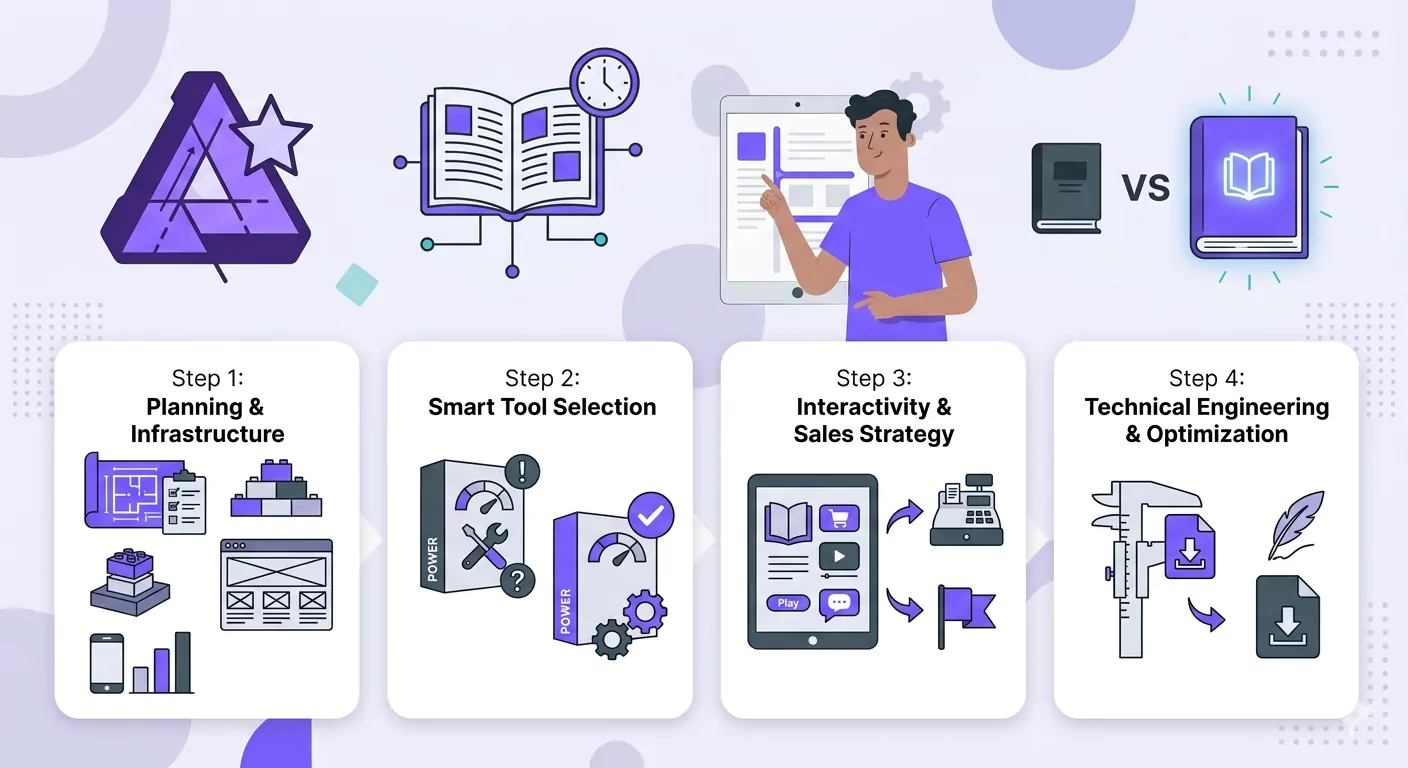
Step 1: Planning and Content Infrastructure
Before opening any software, you must draw your mental map. A catalog built without a strategy is merely a heavy, useless file.
- Define Goal & Audience: The tone and design for a wholesaler (B2B) must differ from that for an end consumer (B2C).
- Gather Rich Content: Prepare concise, persuasive texts, vector logos, and high-quality images. (Use AI to enhance image quality if needed).
- Smart Structuring: A standard catalog includes an attractive cover, clickable Table of Contents (TOC), product category pages, and finally, a CTA (Call to Action) page.
Step 2: Choosing the Right Tool Based on Needs
In 2026, choose a tool that matches your skill level and business requirements:
- CanvaFast, simple, and ideal for lightweight mobile designs and "Live Links."
Create a catalog with Canva that shines on WhatsApp and Telegram! Step-by-step interactive catalog design tutorial, using AI for image editing, and sending live links to customers. - Adobe InDesign: The gold standard for multi-page, industrial, and interactive catalogs.
Learn how to build a professional and interactive digital catalog with Adobe InDesign. Step-by-step tutorial on mobile dimension settings, creating active links, and super-optimized PDF output for WhatsApp. - FigmaA modern choice for creating "App-like" catalogs with smooth animations.
Create a catalog with Figma that works like an app! Zero-to-hundred tutorial on Smart Layout, interactive animations, and sharing digital catalogs without the need to download files. - Adobe Illustrator: The best tool for designing custom icons and vector graphics.
How to build a professional digital catalog with Affinity Publisher? Step-by-step tutorial on design, working with StudioLink, and low-size PDF export settings for WhatsApp and web in 2026. - Microsoft PowerPoint: A practical solution for sales teams to quickly update prices.
How to build a professional sales catalog with PowerPoint? Step-by-step tutorial on adjusting dimensions, building interactive buttons, and low-size PDF export for B2B sales and marketing teams. - Affinity Publisher: An agile and economical alternative to InDesign with highly optimized outputs.
How to create professional digital catalogs with Affinity Publisher? Step-by-step tutorial on design, using StudioLink, and low-size PDF export settings for WhatsApp and Web in 2026.
Pro Design Tip (The 2-5 Rule):
Don't fear white space. To maintain visual order, use a maximum of 2 font families and 5 primary colors (matching your brand identity).
Special Content for Designers
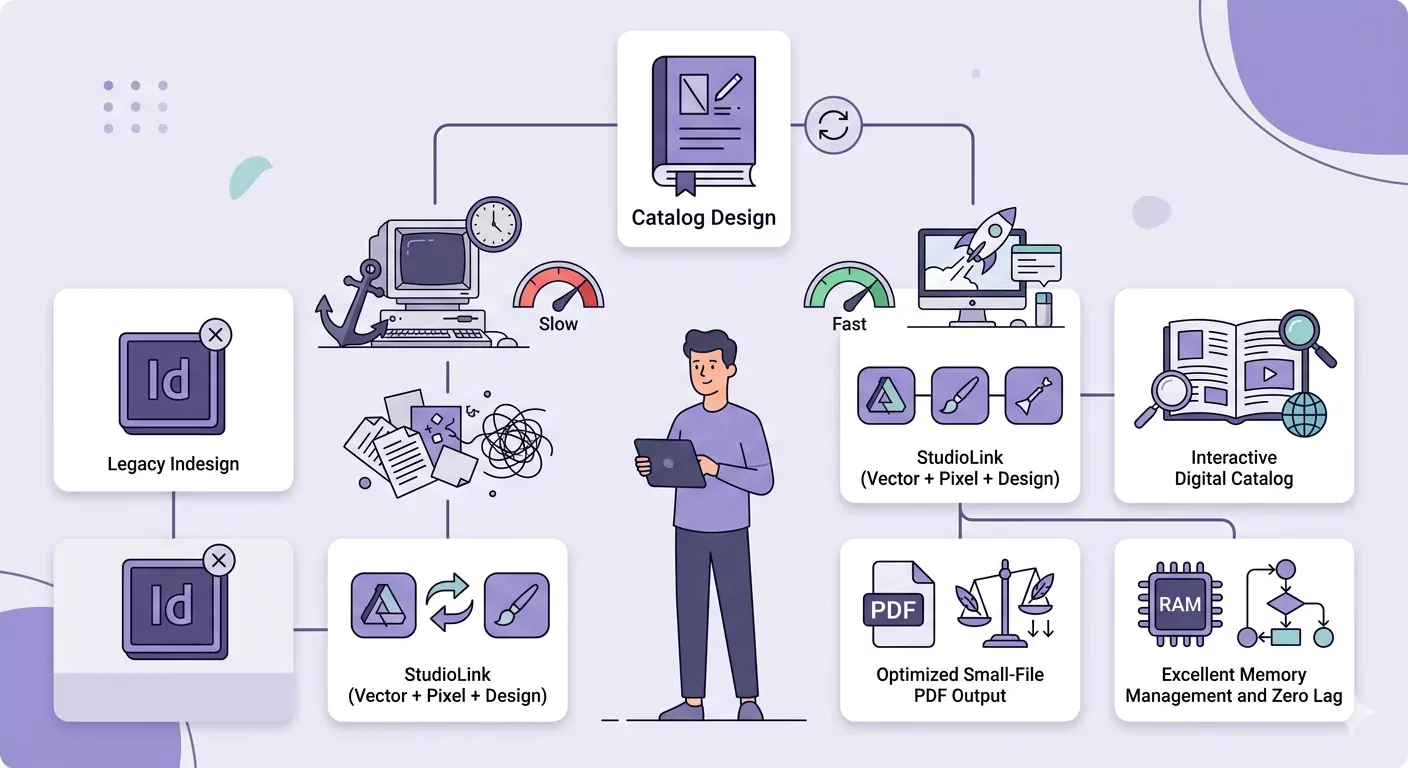
Comparative Look at Specialized Tools for Digital Catalog Design
| Design Tool | Skill Level | Best Use Case | Interactivity | File Size Status | Output |
|---|---|---|---|---|---|
| Adobe InDesign | Professional | Industrial & Multi-page | Very High (Buttons, Forms, Video) | Optimized & Excellent | Interactive PDF |
| Canva | Beginner | Small Businesses & High Speed | Medium (Simple Links) | Very Lightweight | Live Link (Web) |
| Figma | Mid to Pro | Modern & App-like Catalogs | Very High (Animation & Scroll) | No Size (Web-based) | Online Prototype |
| Adobe Illustrator | Professional | Single-page & Luxury | Limited (Hyperlinks only) | Heavy (If not optimized) | Vector File / PDF |
| PowerPoint | Simple | Sales Teams & Daily Updates | Good (Action Settings) | Medium | PDF / Slideshow |
| Affinity Publisher | Professional | Economic InDesign Alternative | High (Hyperlinks & Anchors) | Very Light & Optimized | Interactive PDF |
Step 3: Interactivity and Sales Strategy
A digital catalog must be "Live" to increase conversion rates:
- Direct CTAs: Instead of just writing a phone number, place a button that connects directly to a WhatsApp chat or a phone call.
- Smart Links: Link all product photos to the purchase page on your website.
- Clickable Table of Contents: Use Anchor Points so the customer is directed exactly to the relevant page by clicking the category name.
Step 4: Technical Engineering and Size Optimization
The difference between an ordinary designer and a specialist is revealed here. A file that won't open due to size won't be seen.
1. Image Optimization:
- Set resolution to 150 DPI for digital screens
- use JPEG (60-70% quality) instead of heavy PNGs.
- Import images at their actual size (they should not be larger than the frame).
2- PDF Linearization (Fast Web View)
This feature, also known as Fast Web View, allows the catalog to load progressively in the browser (the customer doesn't have to wait for the entire file to load to see the first page).s
- In InDesign, while exporting, enable the Linearized option in the Advanced tab.
- In Acrobat, go to File > Save As Other > Optimized PDF and check the Fast Web View box.
3- SEO and Meta Data
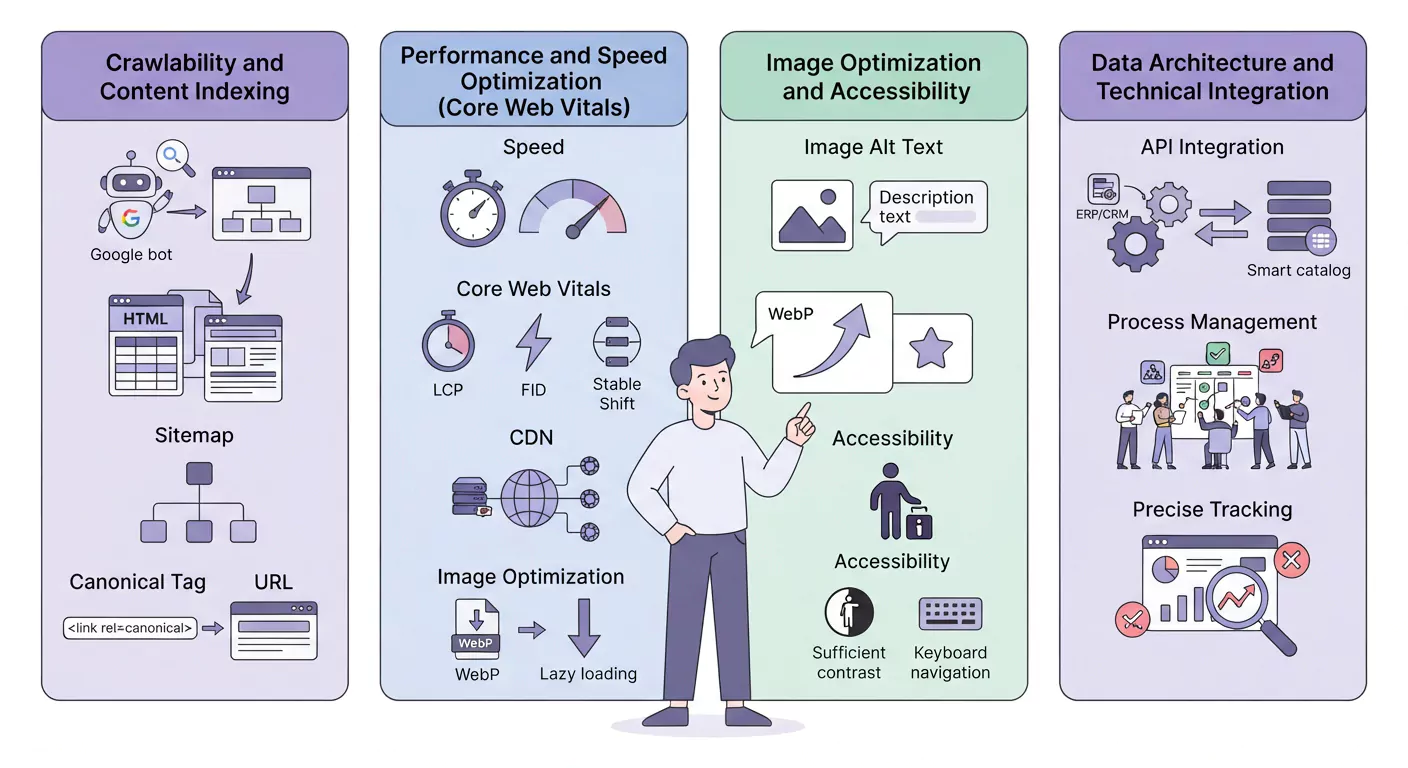
Optimized catalogs are indexed by Google. In the File Properties settings, fill in the Title, Author, and Keywords fields with relevant keywords.
Read More
Mobile-First Digital Catalog Design Tutorial in Canva
Product Page Layout Design Techniques in Smart Catalogs: Arranging for Maximum Conversion Rates
Digital Catalog Design Guide with Affinity Publisher + Optimized Export
Professional Catalog Design in Adobe InDesign
Design Live and Digital Catalogs in Figma | Beyond PDF
Digital Catalog Design Tutorial with PowerPoint | Interactive & Professional
Final Checklist Before Publication
- [ ] Mobile Test: Is the catalog readable on a phone without zooming?
- [ ] Link Check: Do all WhatsApp buttons and web links work correctly?
- [ ] Size Control: Is the final file size under 20 MB?
- [ ] Proofreading: Have prices, contact numbers, and spelling been reviewed?
- [ ] File Naming: Does the filename include brand keywords? (e.g., Catalog-Lenoos-2026.pdf)
Final Words Your catalog is your brand's representative in the customer's pocket. Combine graphic art with technical engineering to create a tool that provides a delightful and fast shopping experience.