The Necessity of Accessibility in Digital Catalogs
Accessibility is not only a humanitarian action, but also a major commercial opportunity.
A) Access to a Larger Market
Approximately 10% to 15% of the world's population lives with some form of disability. By ignoring accessibility, you practically deprive a large segment of your target market.
B) Direct Impact on Technical SEO
Google increasingly gives importance to accessibility factors and includes them in evaluating the quality of User Experience (UX). A catalog that is optimized for screen readers performs better from an SEO perspective.
2. Key WCAG Principles in Catalog Design
These measures are directly related to the user interface (UI) design of the catalog.
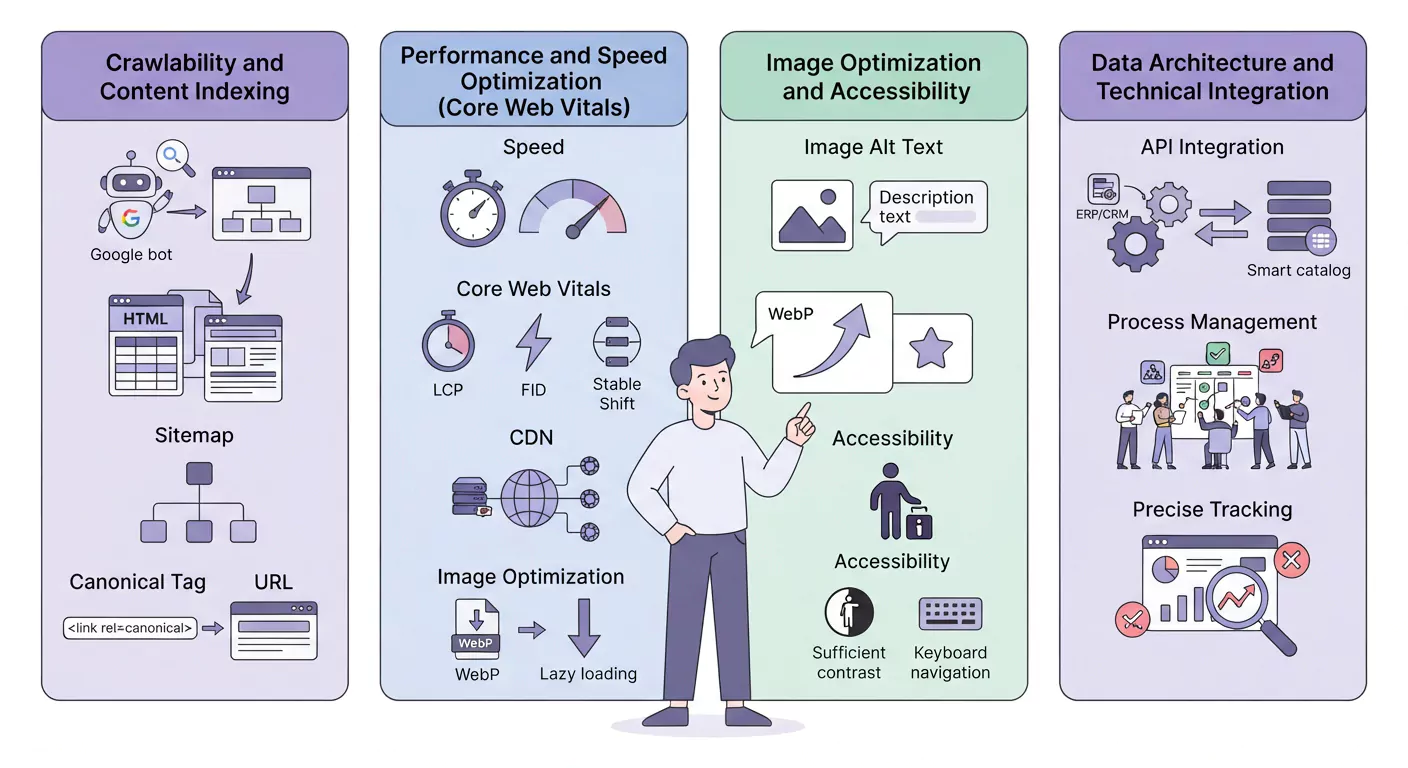
A) Sufficient Contrast and Independent Colors
- Technique: Text content and the background must possess sufficient color contrast (at least a 4.5:1 ratio) to be legible for visually impaired individuals.
- Avoidance: Avoid conveying information solely through color (for example, showing a discount only with the color red). Text descriptions or symbols must also be present.
B) Complete Alternative Text for Images (Descriptive Alt Text)
All product images (not just the cover) must possess clear and descriptive alternative text so that the screen reader can accurately describe the visual content for blind users.
C) Keyboard Navigation Design
Users who have motor difficulties do not use a mouse. Navigation, turning pages, clicking buttons, and forms must be possible solely using the Tab and Enter keys of the keyboard.
The Role of Technical Capabilities of the Lenoos Platform
The Lenoos smart digital publishing platform will provide the necessary technical tools to support Accessibility.
A) Support for ARIA (Accessible Rich Internet Applications) Tags
- Technique: ARIA tags help developers define the role and state of interactive elements (such as buttons, forms, and pop-up menus) for screen readers.
- Benefit: The platform must ensure that interactive elements embedded in the catalog utilize these tags correctly.
B) Zoom & Text Resizing
Users must be able to enlarge the catalog text up to 200% without disrupting the layout. The platform does not render texts as images, but rather uses live text.
C) Captions for Video Content
Any video embedded in the catalog must possess captions so that deaf or hard-of-hearing users can comprehend its content.
Final Words
Accessibility in the smart catalog not only benefits users with disabilities, but also improves the overall UX quality and Technical SEO of your site. By focusing on WCAG principles such as appropriate contrast, keyboard navigation, and the correct use of Alt Text and ARIA tags, you can ensure that your catalog is usable for everyone and be recognized as a responsible and pioneering brand. This is an investment for a more inclusive and high-yielding future.